Overview
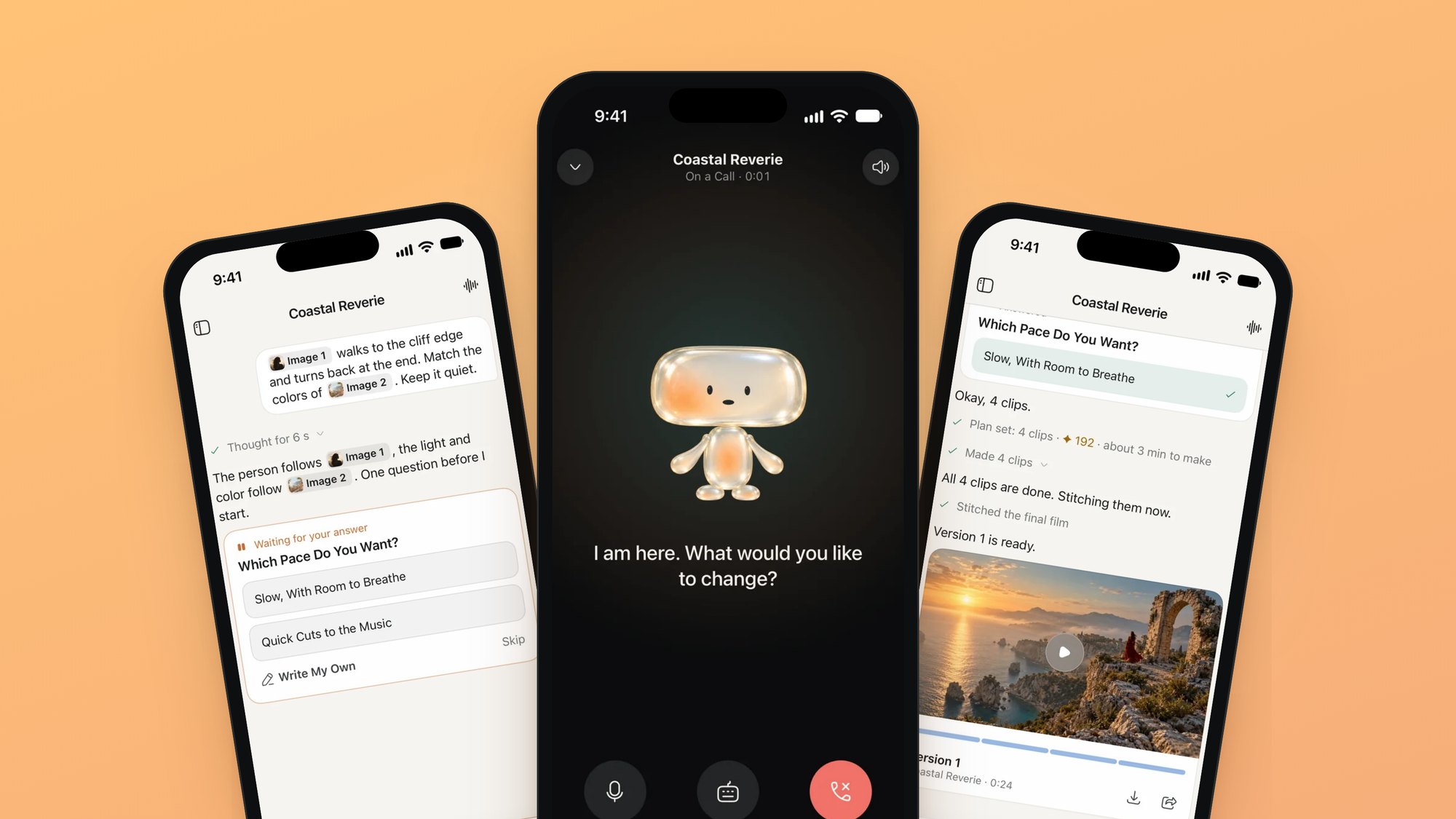
MML ONE on the web is a desktop workspace: seventeen modules around a canvas. Almost none of that fits on a phone.
The iPhone app keeps one part of it, the assistant, and gives it the whole screen. You describe a film by typing or on a voice call. The assistant plans the clips, makes them, and stitches them into a film. Every step stays in the conversation, where you can point at it and change it.
The iPhone app is a solo project, from the product decisions to the Swift. It is a native app with its own visual design, and it runs on the same projects and the same assistant as the web platform.
Numbers
01 · The question
A film has to fit in a conversation
On the web, MML ONE gets its control from structure: a project graph, review states, a canvas. I had cut the chat-style loop there on purpose, because a chat approves nothing. A phone leaves room for little else. So the brief was not to shrink the workspace. It was to make a conversation hold a production: clips, versions, and changes aimed at one clip.
The model
Three rules for the thread
One line per step
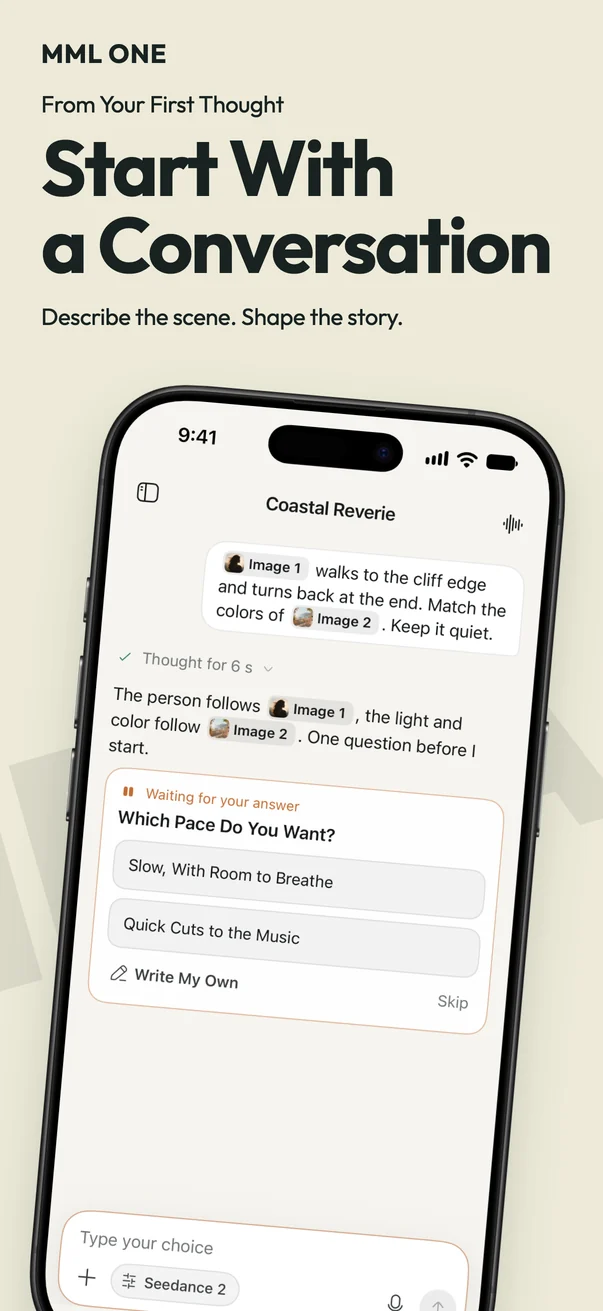
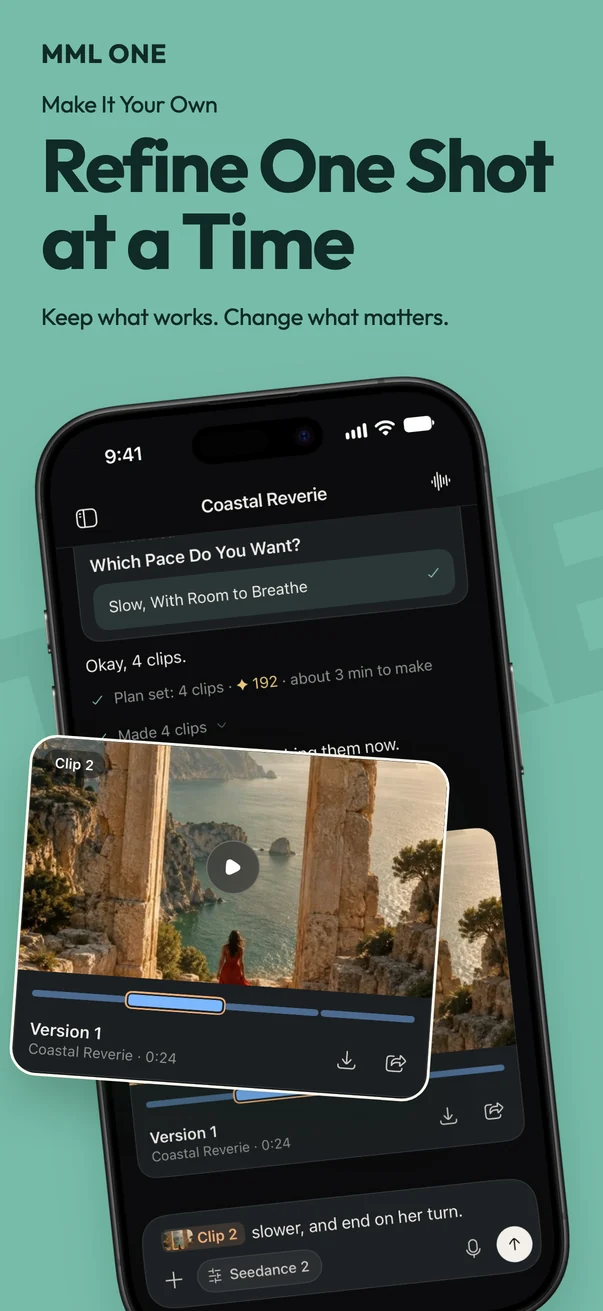
Thinking becomes Thought for 6 s. Making 4 clips becomes Made 4 clips. A step is one line that changes in place, so the thread reads as a record of the production and not a stream of replies.
Every version stays
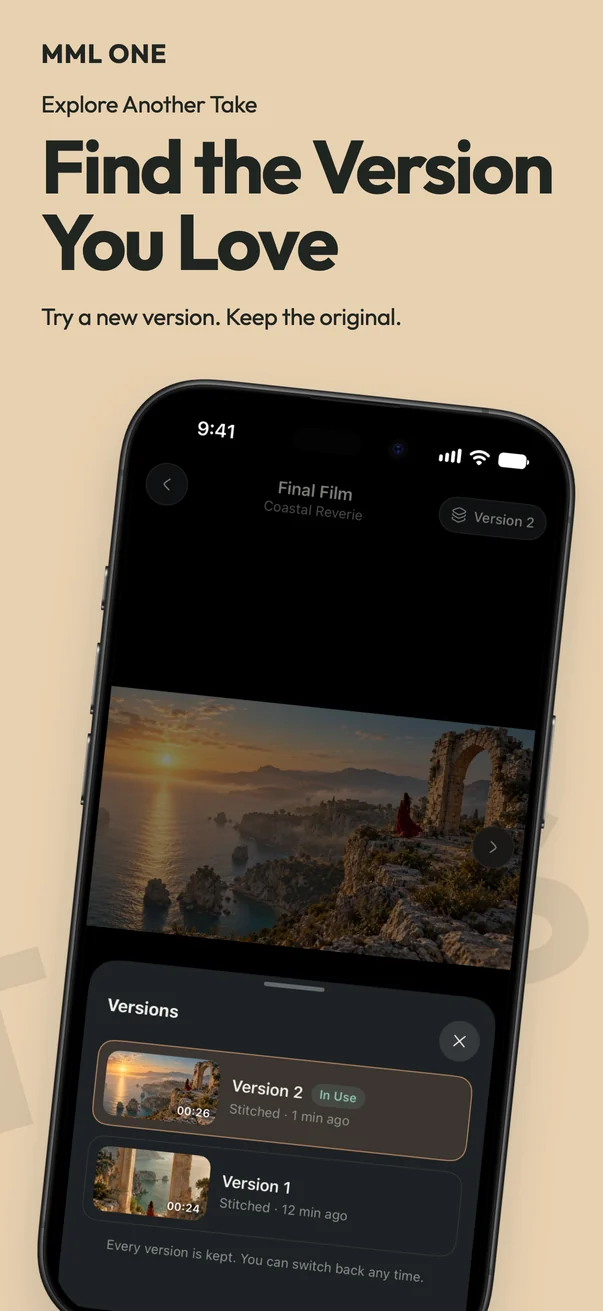
Each cut of the film stays in the thread, in order and at full strength. You can go back to Version 1 and keep working from it.
Change one clip
Tap a clip on the film’s strip and say what to change. Only that clip is remade, the others are reused, and the film is stitched again as a new version.
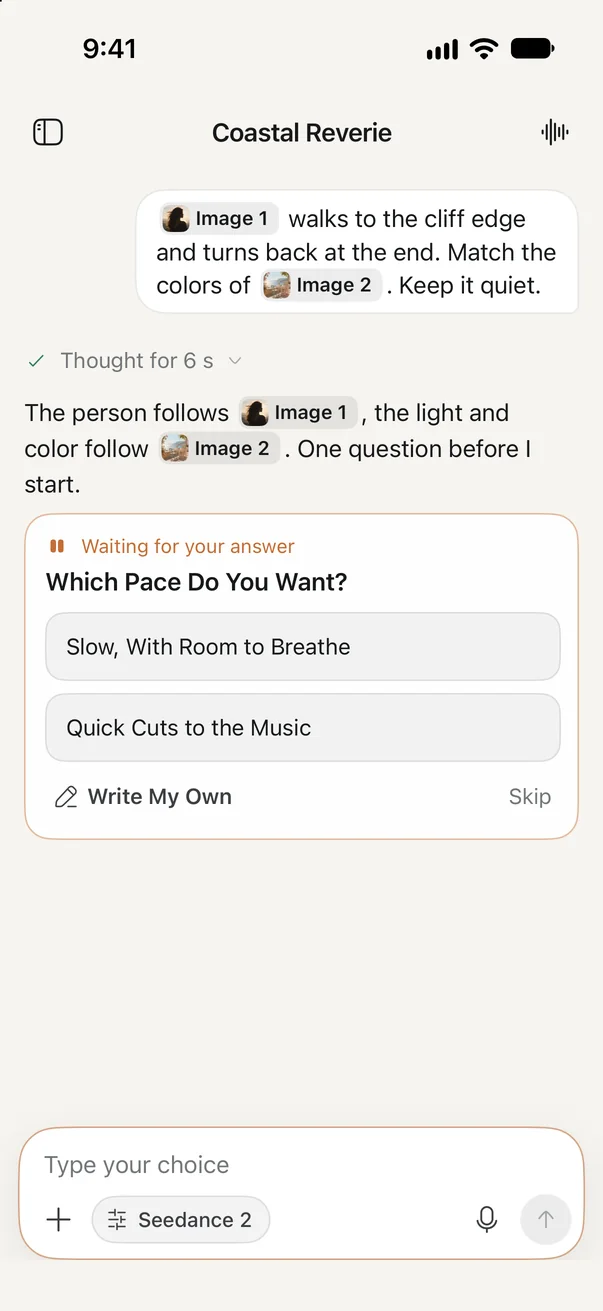 A question first
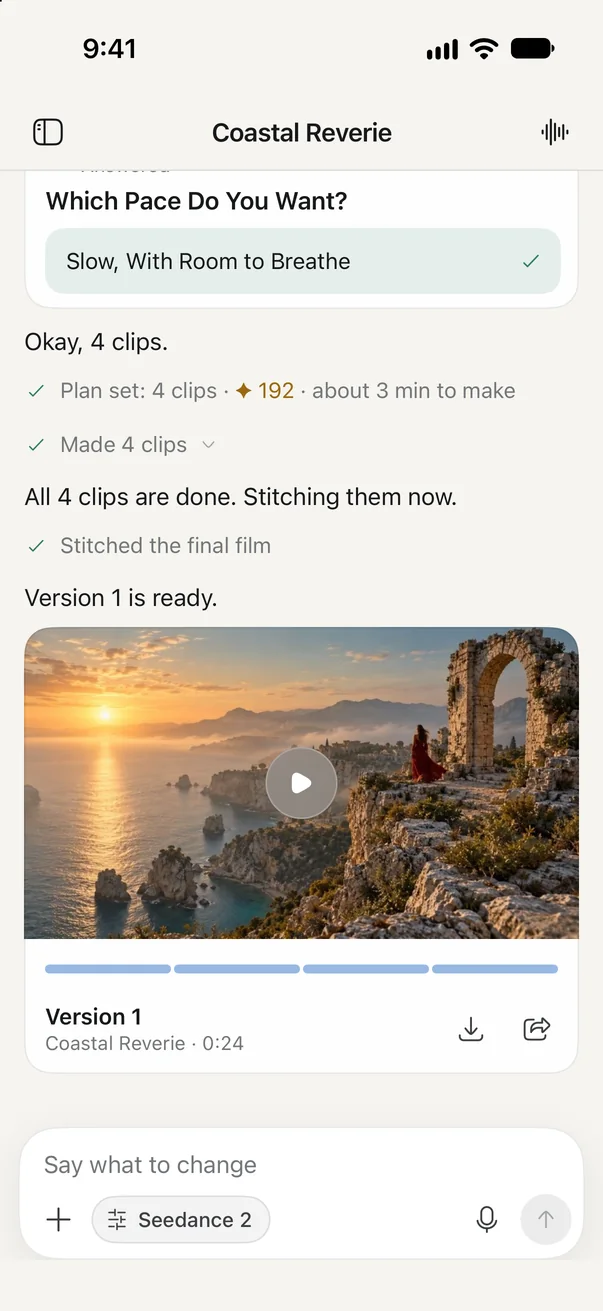 Version 1
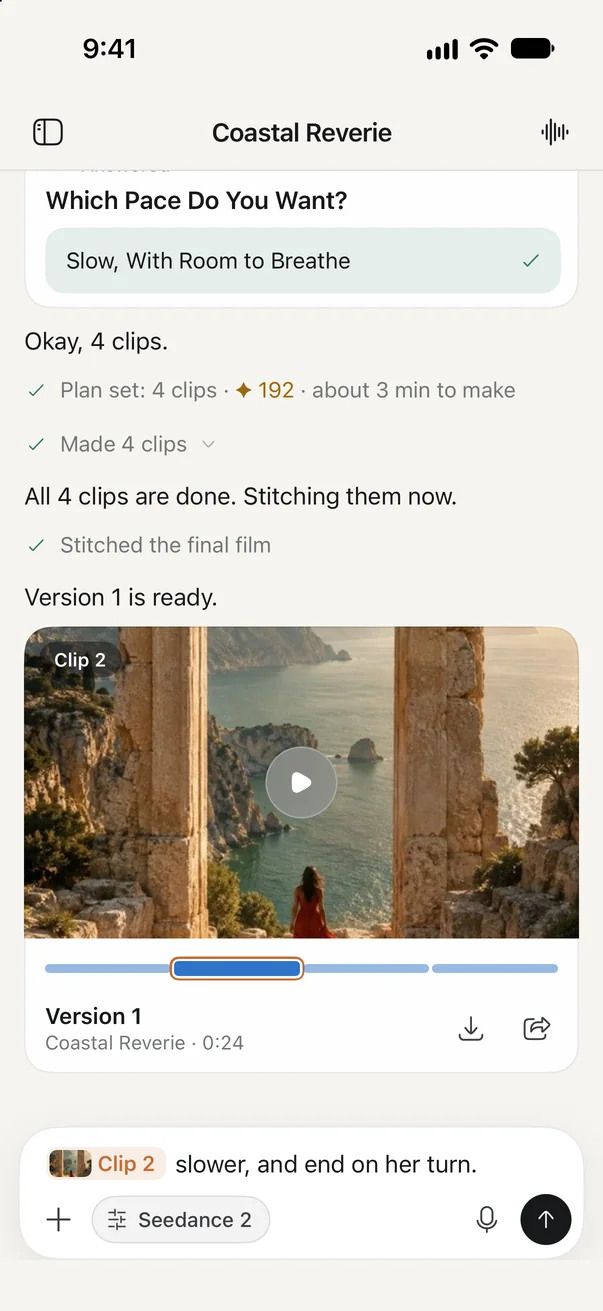 Change one clip
02 · The process
Five answers to each question, twice
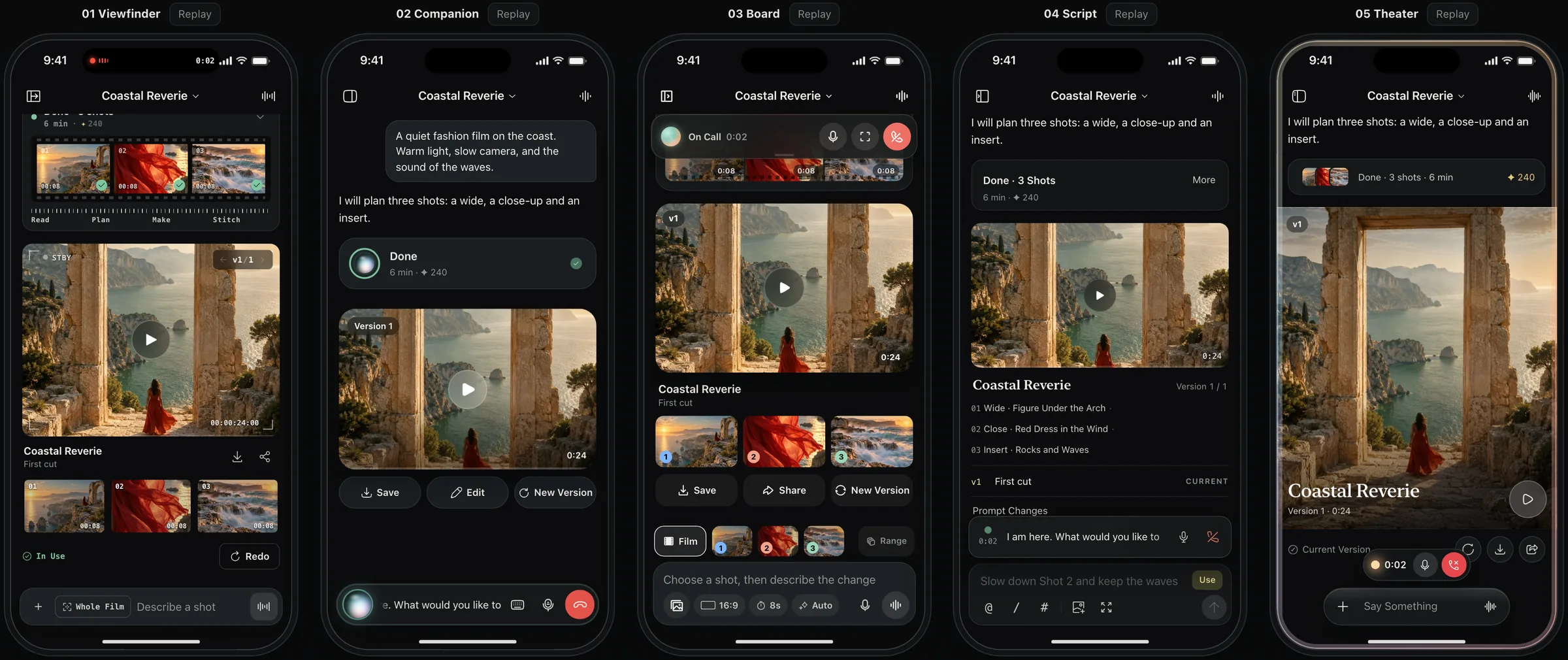
After several iterations the flow was clear and every component was correct, and the design still had no point of view. So I stopped refining one design and made five, each built on a single idea, inside one interactive prototype where any component could be swapped between them. Then I chose piece by piece.
Round one
The whole app, five ways
Viewfinder treats the app as a camera with precise controls. Companion is making a film with someone. Board turns shots into cards you can drag. Script makes text the tool. Theater lets the picture fill the screen.
I took home, calls, and settings from Companion, the composer and results from Board, and the icons from Theater, then rebuilt the mix as one design system with one rule: the assistant is light, and the work is cards.
Round two
The project screen, five more
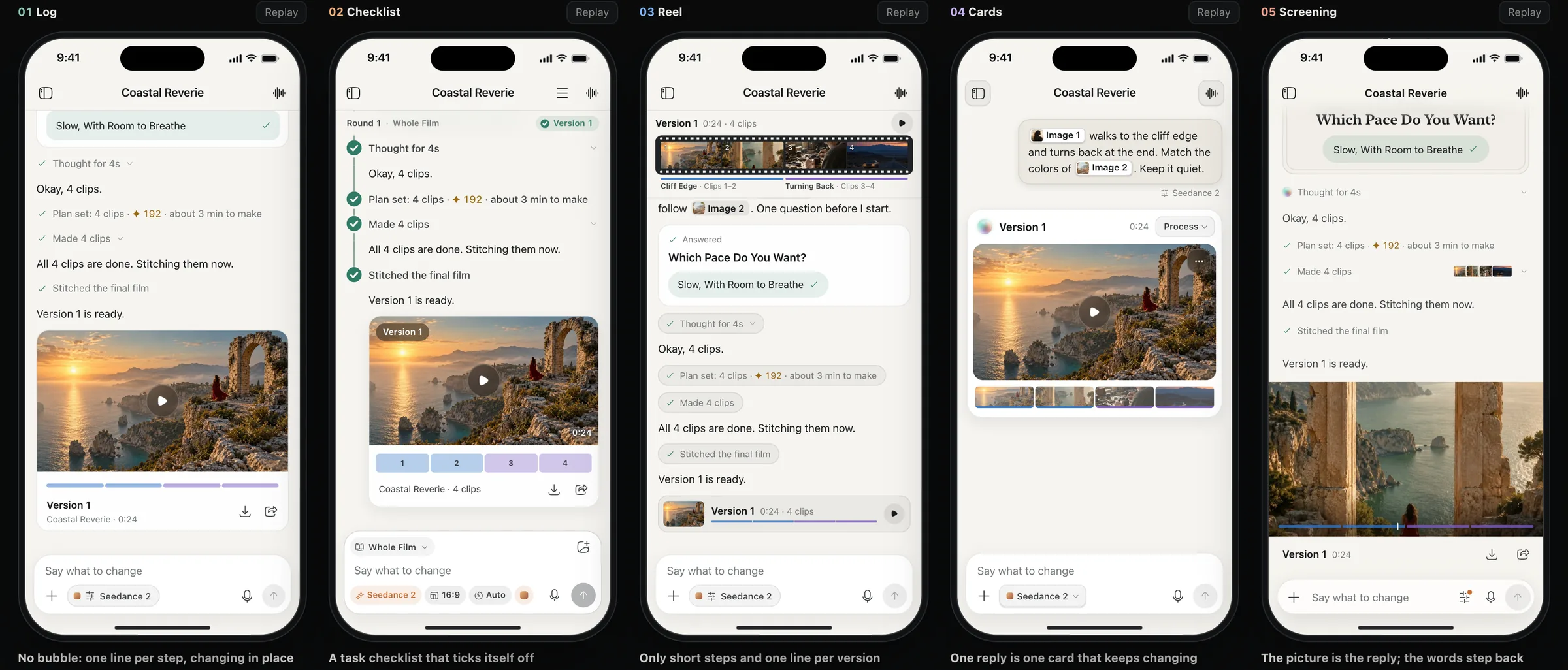
The combined design had one weak screen, and it was the most important one. The finished film arrived as a large card in the middle of the conversation, a row of range controls sat above the composer, and the assistant answered in a single line. It read as a results page.
I redesigned only that screen, again five ways: Log, Checklist, Reel, Cards, and Screening. Log shipped. It is the plainest of the five, and the closest to how the assistant already reports its work on the web.
Decisions
What the comparisons settled
Settings is a page
A sheet says temporary. Settings has depth and people move around in it, and a sheet’s swipe to close fights the scrolling list.
A call does not float
People minimize a call to look at the film, and a floating window covers it. The call shrinks to a strip at the composer and hands off to the Dynamic Island outside the app.
References get numbers
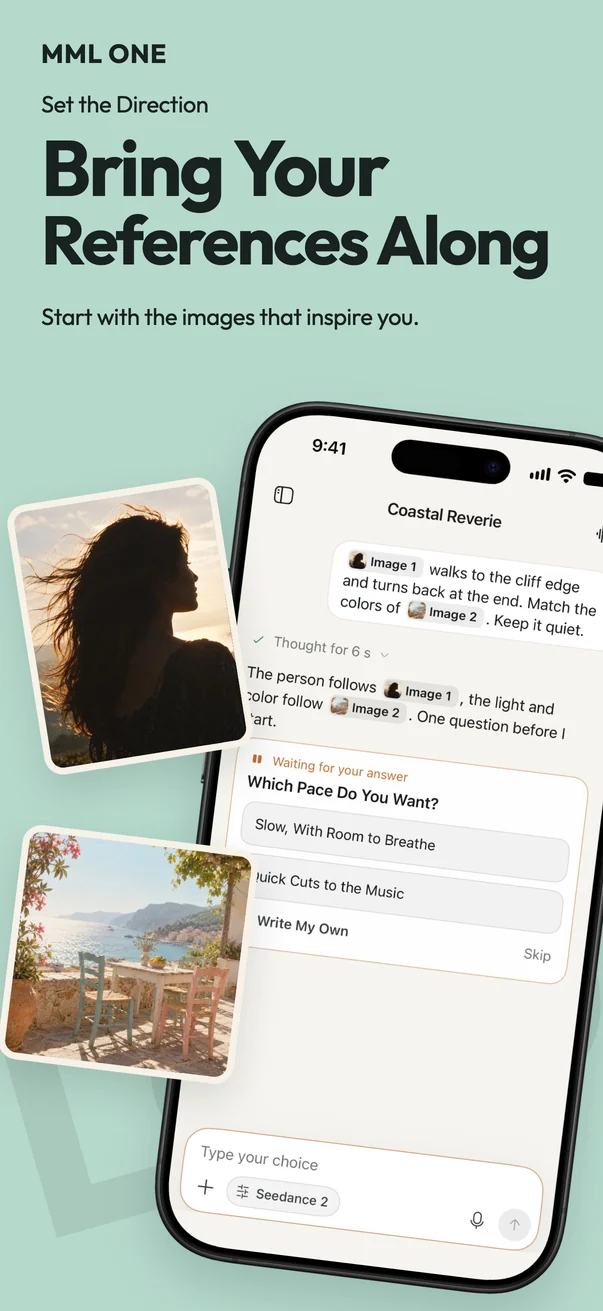
No tags for character, style, or first frame. Images are numbered and the sentence points at them: Image 1 walks to the cliff edge.
Prototype to native
The prototype is the specification
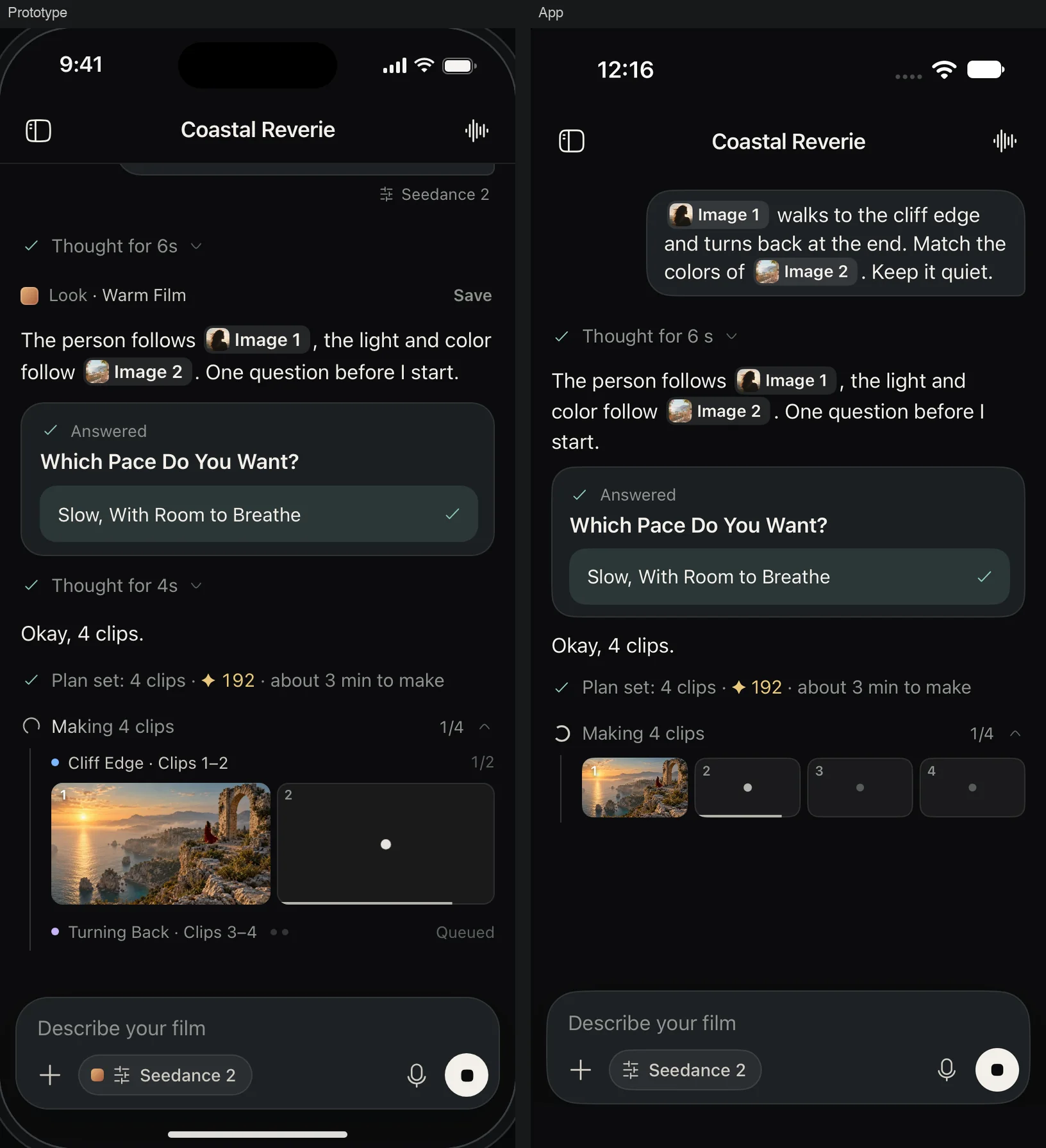
The prototype is what the app is checked against. Each of the 48 conversation states exists as a scene in the native build, a script captures the two side by side, and a test fails if the two lists drift apart.
03 · The product
What is on the phone now
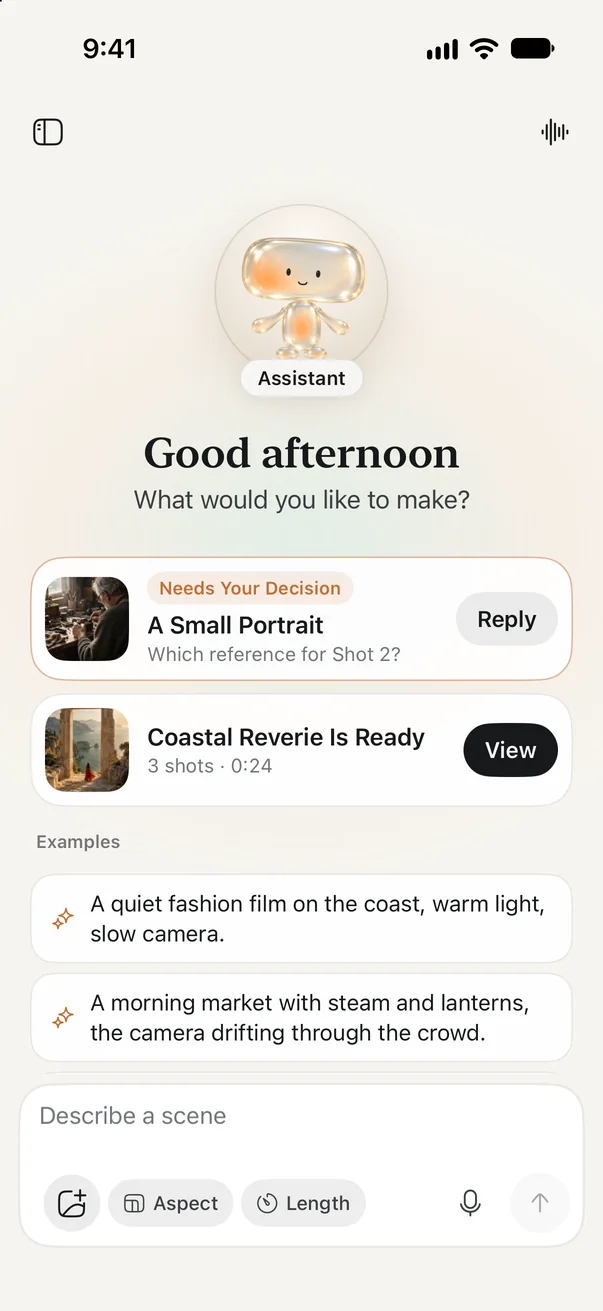
Three places: a home where a film starts, a project where it gets made, and a player where versions are compared. One presence runs through all three, the assistant.
The assistant
A voice and a body
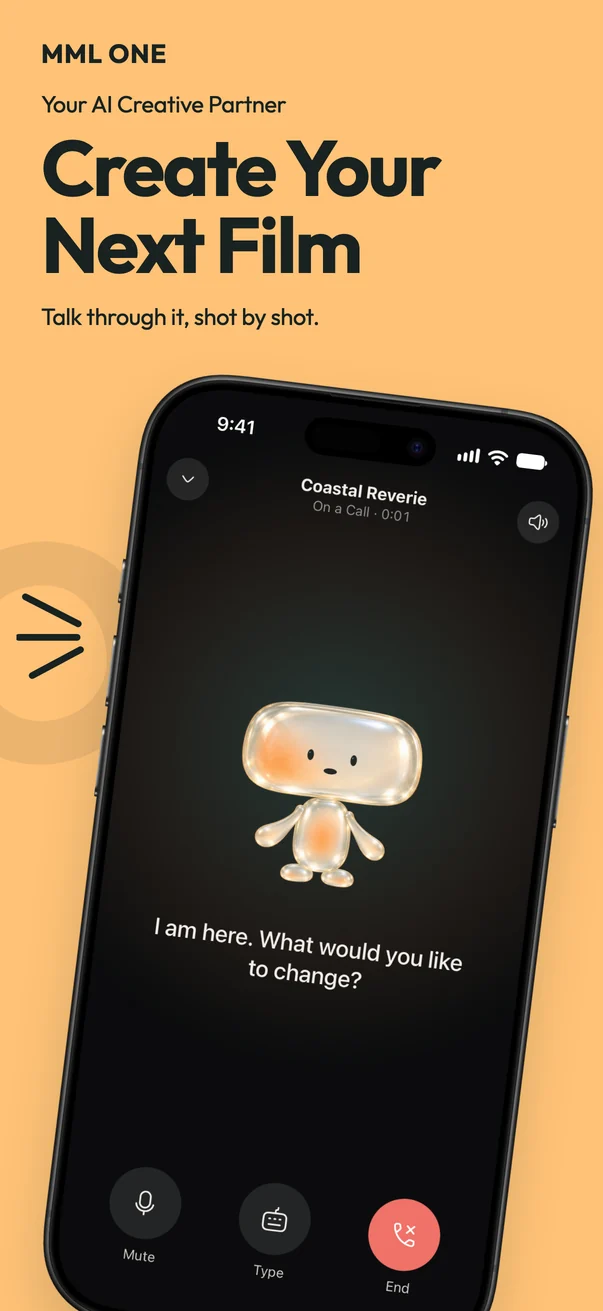
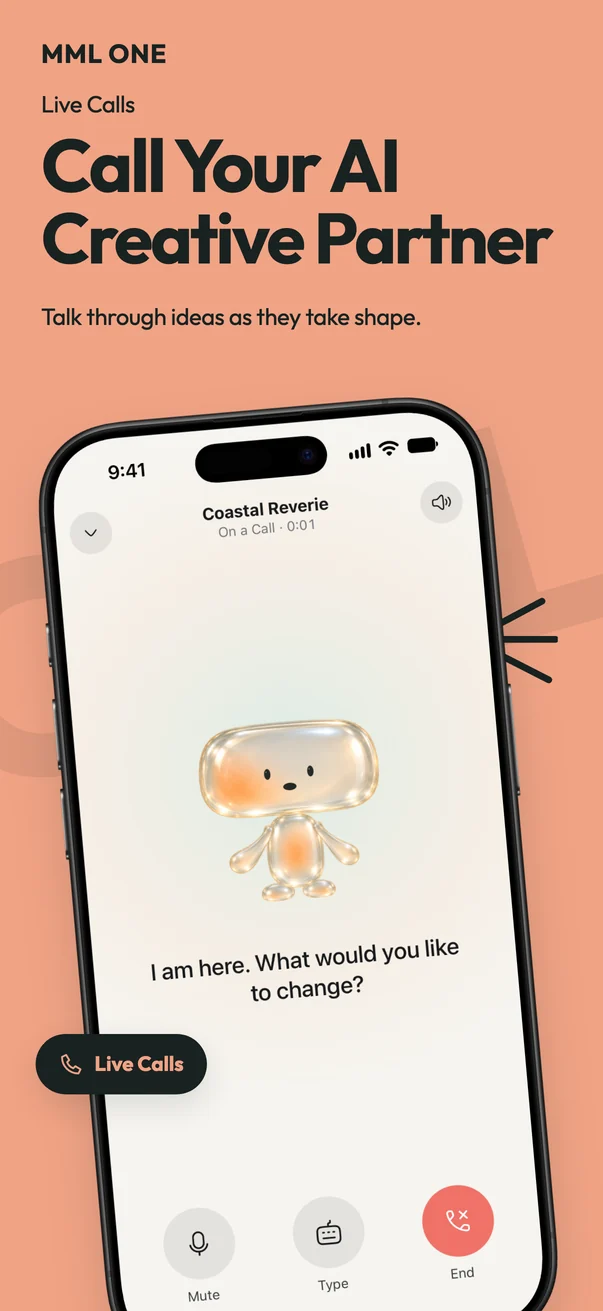
A film can be talked through instead of typed. A call is a full input: the assistant hears the change and makes it, and the result lands in the same thread. Dictation has its own button, because saying one sentence and having a conversation are different things.
The assistant began as an orb of light and became a small glass figure, so that it has a character of its own both at full screen and as a 22-point avatar.
 Home
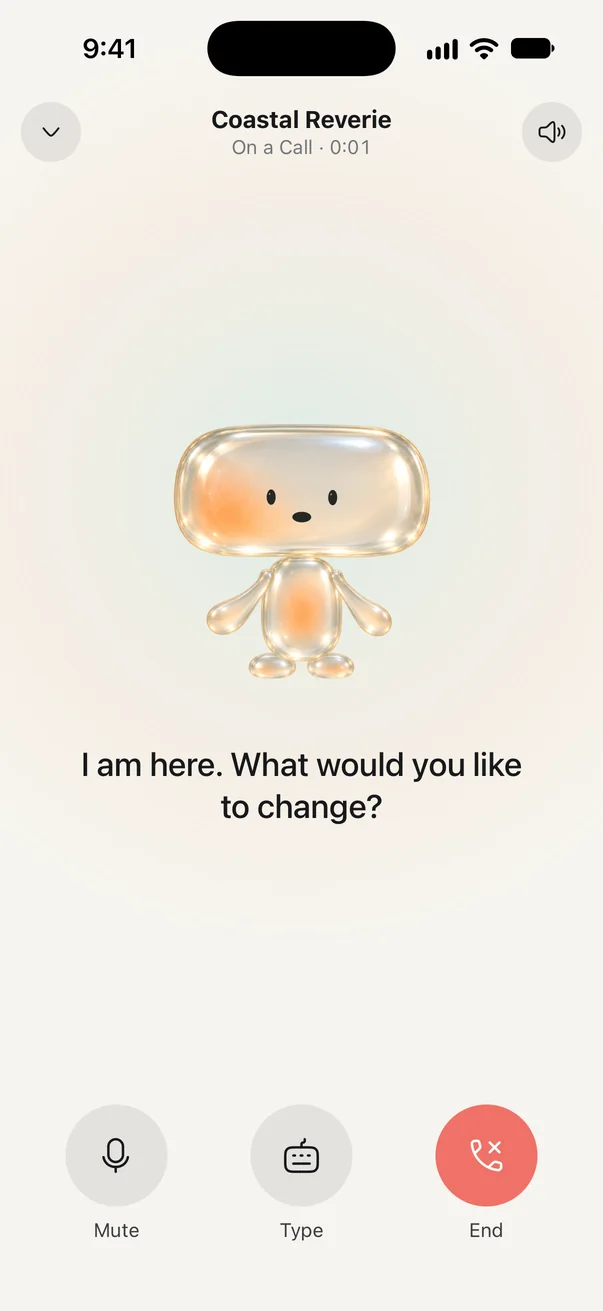 On a call
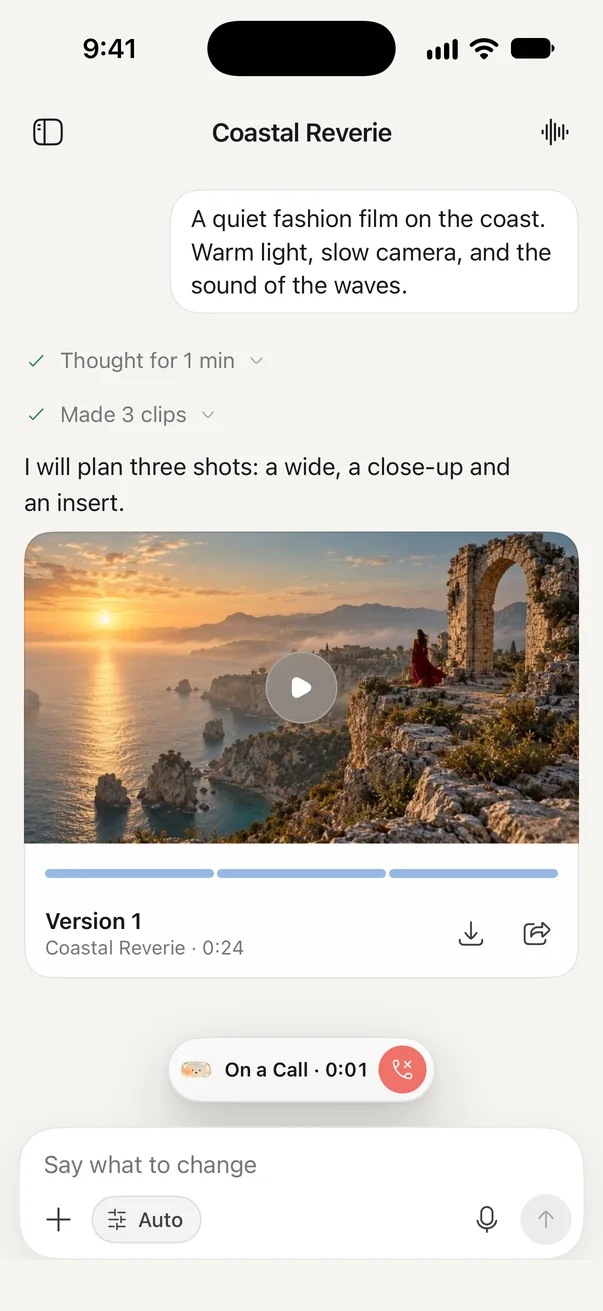 Call minimized
The character
Twenty-four motions, none of them random
The figure has ten states, eight responses, and six idle moments. Its state always comes from the app: it listens while you talk, thinks while a plan forms, works while clips are made, and waits when a question needs an answer. It never celebrates a film that is not finished.
Each kind of motion drives its own parts of the body, so a blink, a stretch, and a wave can overlap without fighting each other. The mouth follows only the assistant’s own voice.
 Idle
The player
A new version never replaces an old one
The player pages between the film and its clips. Versions sit in one list with the version in use marked, and switching back takes one tap.
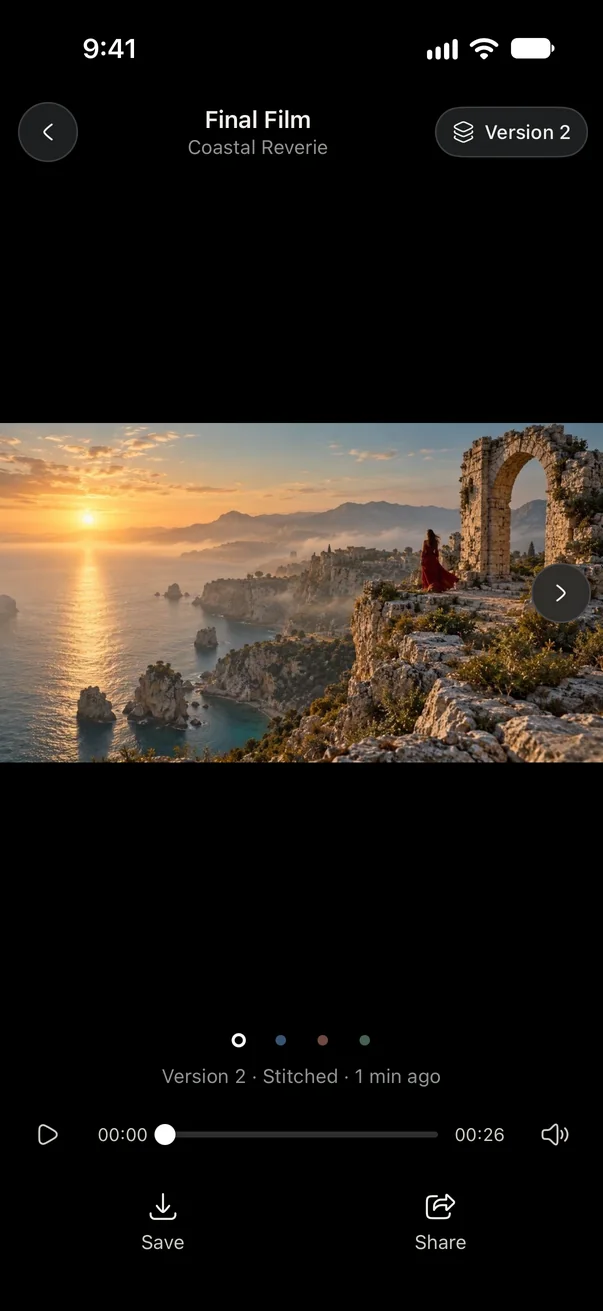 Final film
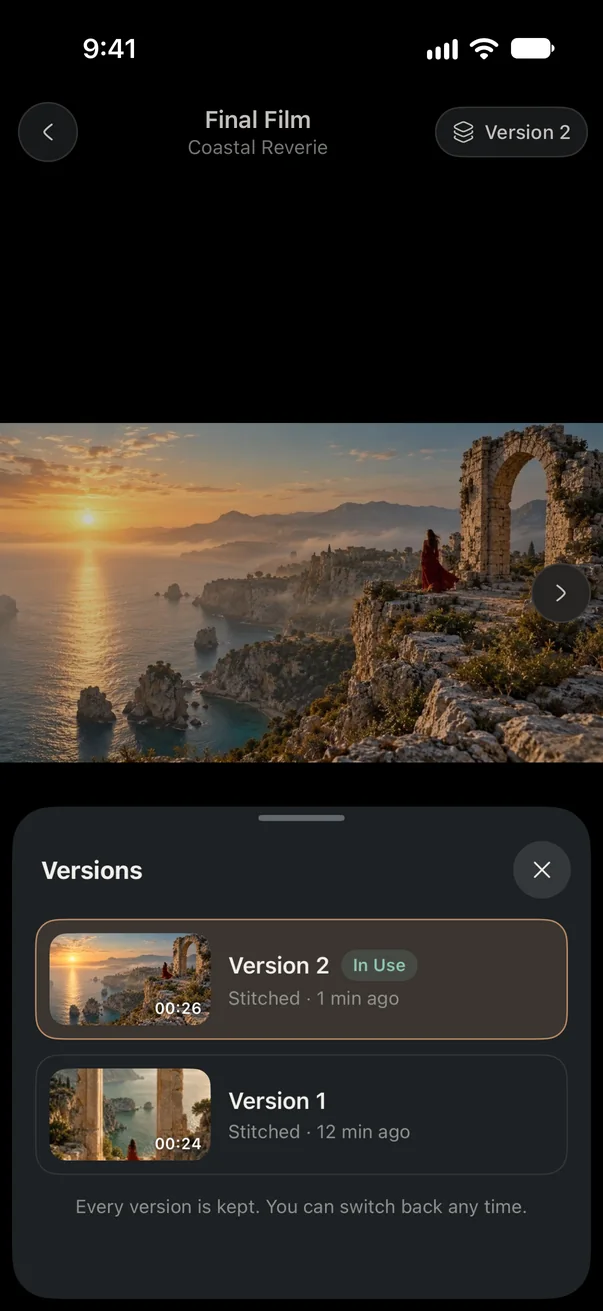 Versions
Outside the app
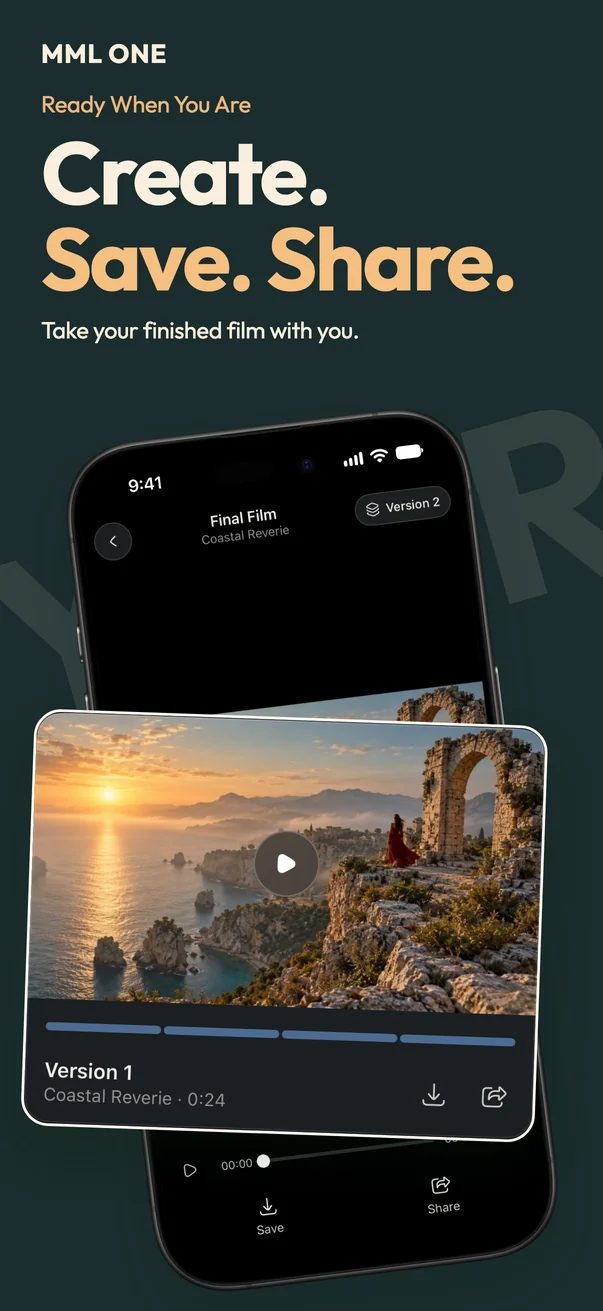
A film takes minutes to make, and nobody should have to hold the app open for it. The parts of iOS that reach people elsewhere do that work.
The store page
The App Store screenshots follow the app’s own order: start, call, conversation, references, refine, versions, share. I produced three complete sets and chose this one.
The honest part
What I cut
The asset library, the reference tags, and the large result card with its three buttons. On a phone, references come from the camera roll and clips from the project itself, so each of these only made the conversation harder to read.
What I got wrong
I called the first complete design finished while its most important screen was still cluttered. It took using it to see that, and a second round to fix it.
What a real phone showed
A Lock Screen activity kept saying a film was generating days after it had finished. Saved state had started it and nothing could end it. Now only a live connection can start or update one.
What I took from it
A conversation can run a production when every line in it is a record: what was decided, what was made, and which version it became.